
Manual highlighting
QS teams repeatedly mark drawings for every payment cycle.
Built for construction commercial teams
Measure quantities, record work done, compare revisions, and export highlighted supporting drawings from one project workspace.
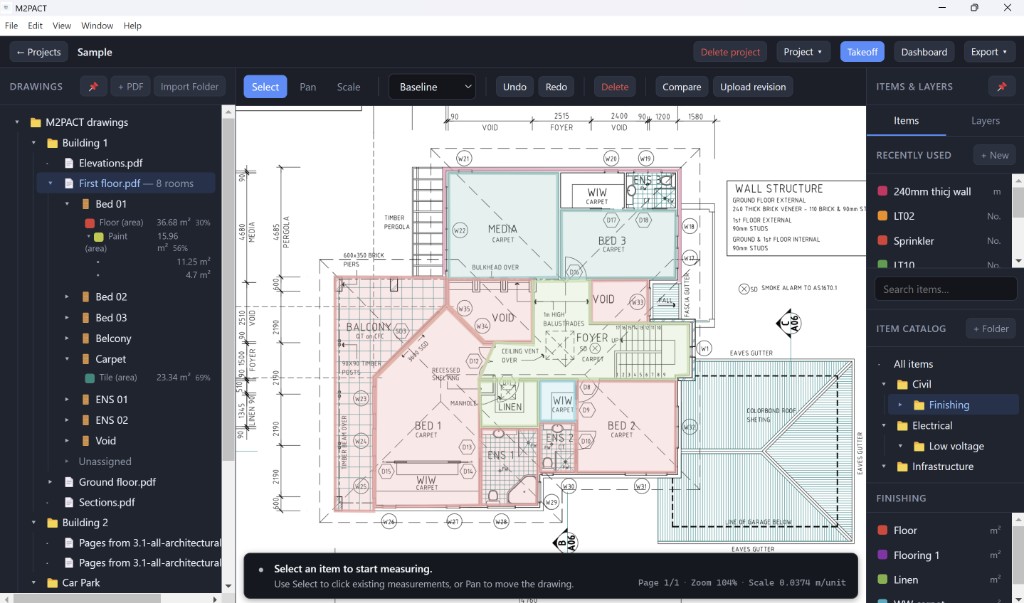
QS teams repeatedly mark drawings for every payment cycle.
Drawings, spreadsheets and progress records live in separate places.
Reviewers struggle to trace claimed quantities back to drawings.
M2PACT brings the workflow into one place.
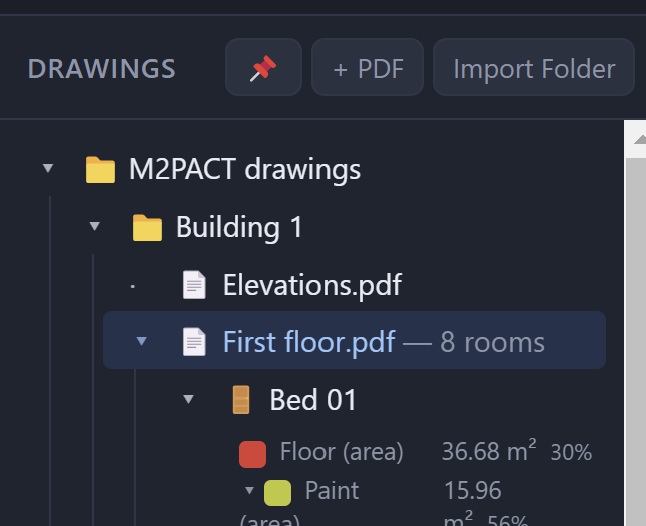
01
Import PDFs and organize your project.
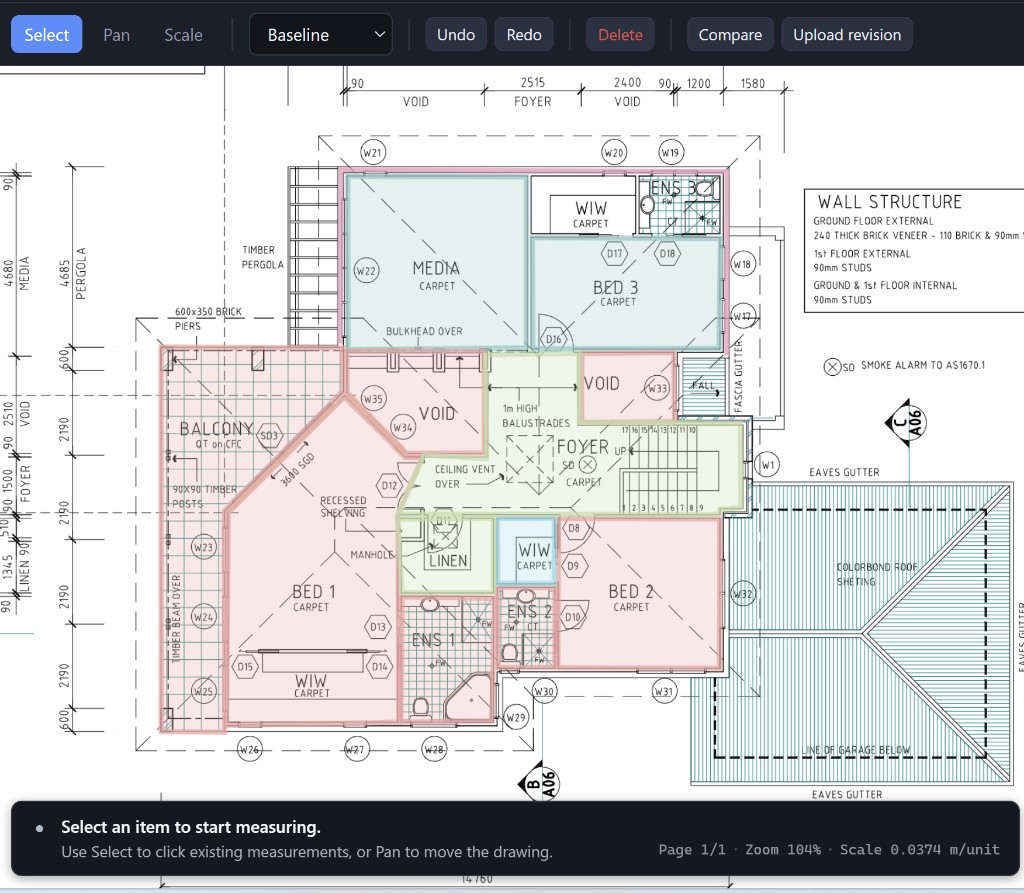
02
Take off quantities and build your baseline.
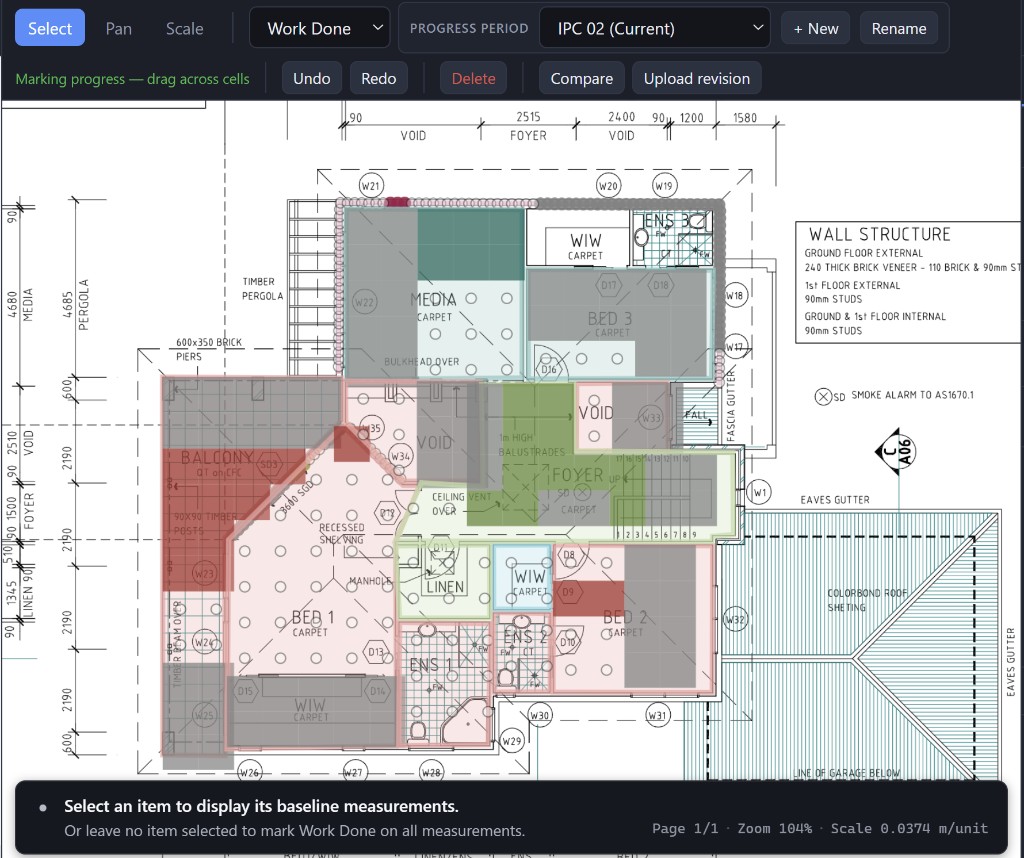
03
Record previous, current and cumulative progress.
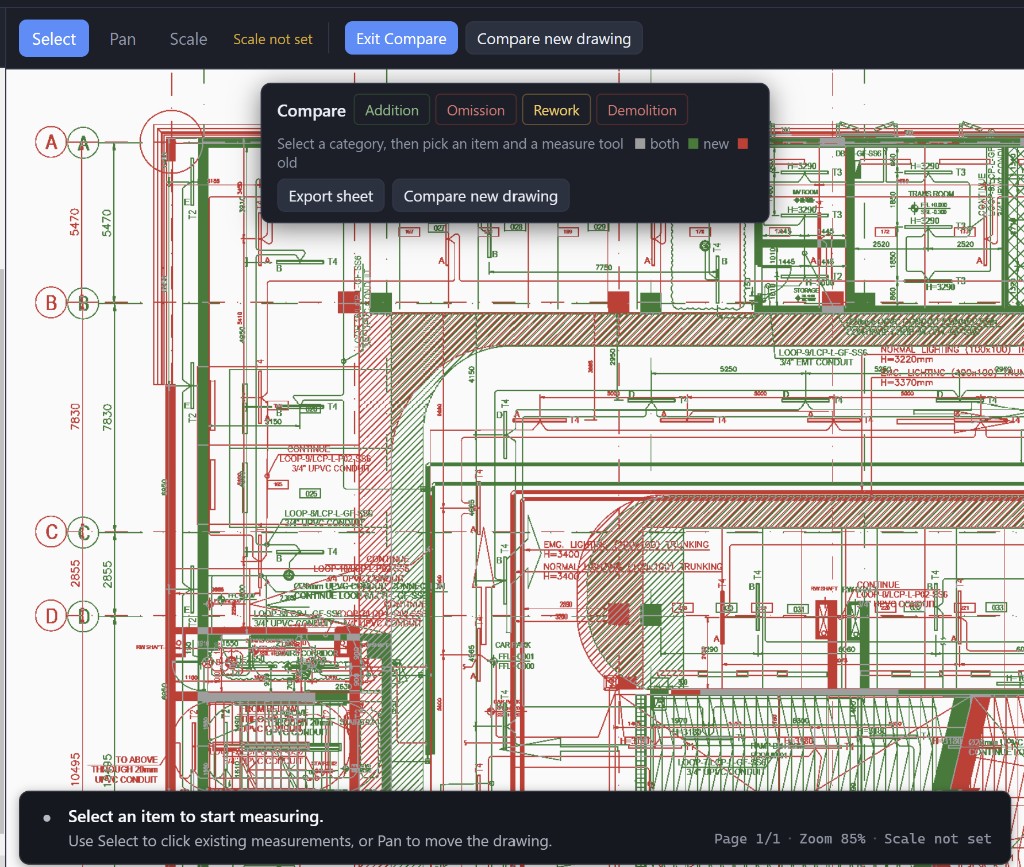
04
Compare progress and analyze variation impacts.
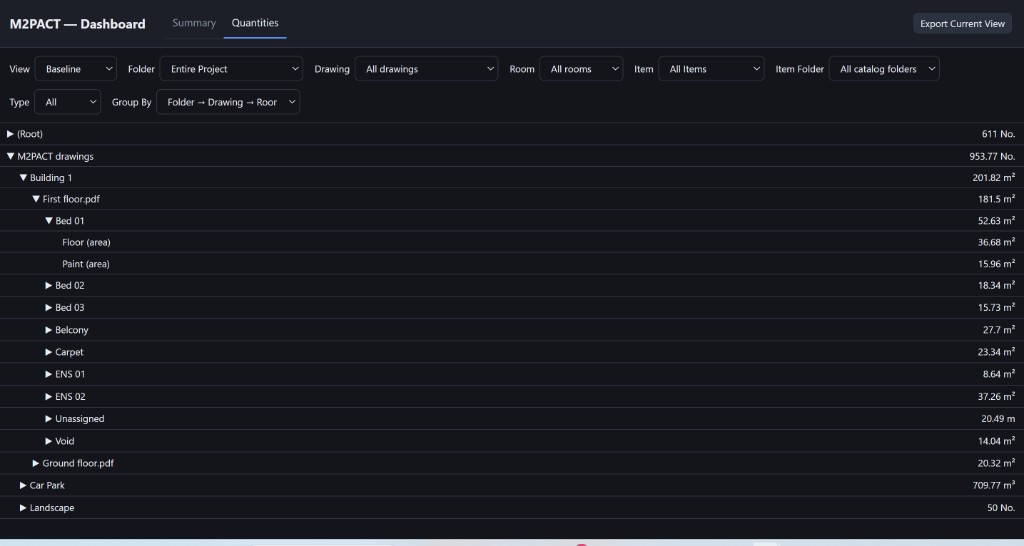
05
Export highlighted drawings and quantity support for payment submissions.
Length, area, volume, count and manual quantities.
Previous, current and cumulative work done tracking.
Export progress directly onto source drawings.
Track additions, omissions, removals and rework.
Keep quantities organized across drawings.
Backup and transfer complete workable projects.
$250/ year
1 user
Most Popular
$1,000/ year
Up to 5 users
$200 per user / year
$1,750/ year
Up to 10 users
$175 per user / year
Contact us for custom team pricing.
All plans include updates, support and access to all standard M2PACT features.
M2PACT is Windows desktop software for construction quantity surveyors and commercial teams. It helps you measure quantities, record work done, compare revisions, and export highlighted supporting drawings from one project workspace.
M2PACT is designed for post-contract construction commercial teams, including Main Contractor QS, Commercial Managers, Subcontractor QS, and Project Controls / Cost teams.
M2PACT is a Windows desktop application intended for local project work on your computer. Confirm any current network or licence-check requirements with support at support@m2pact.com.
M2PACT is designed around construction drawings supplied as PDFs. Supported file types and limits may be updated over time — contact support@m2pact.com for the current list.
Yes. M2PACT includes project packages so you can backup and transfer complete workable projects. Contact support@m2pact.com if you need help moving a project.
When a subscription expires, access to licensed software features follows the then-current licence terms. Project files stored on your computer remain on that computer. See the EULA for details.
Activation limits depend on your plan and licence terms. Contact support@m2pact.com if you need to move an activation to a replacement machine.
M2PACT is designed for local project work on your computer. Project drawings and quantity data are stored in your project files unless you choose to share or transfer them. See the Privacy Policy for details.
M2PACT is built as a Windows desktop application for current Windows 10 and Windows 11 environments. Download it from the Microsoft Store.